Client Favorites
The Favorites screen displays all clients you have marked as a favorite.

Add clients to Favorites from the client details screen.
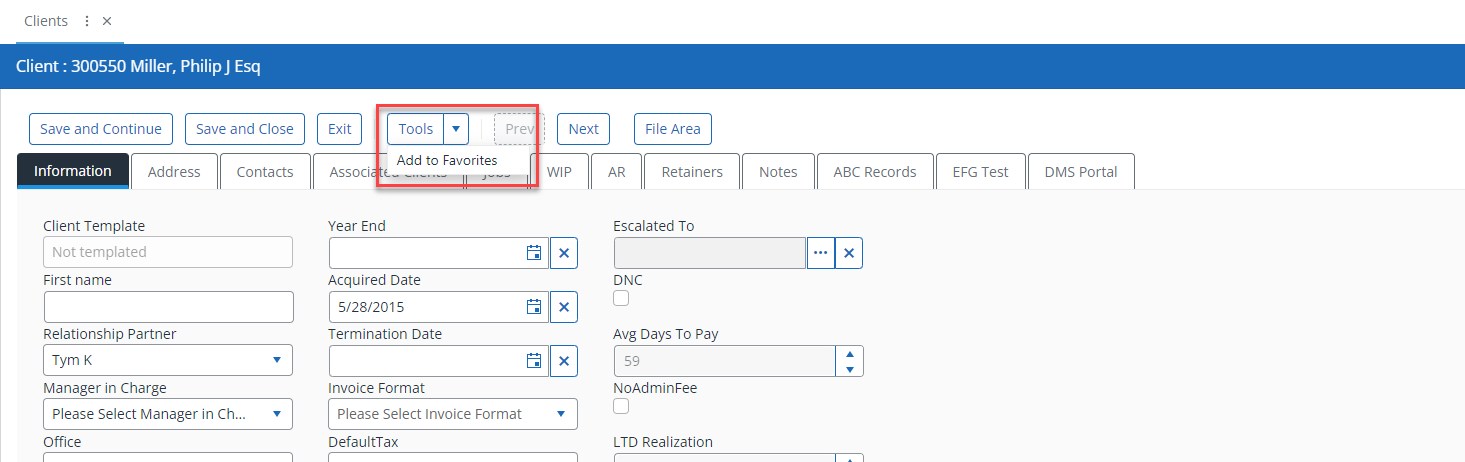
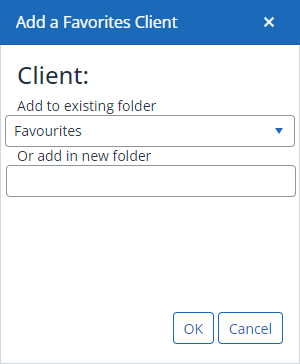
During the Add to Favorites process, you can manage them into an existing folder or create a new one.
Use Remove if you no longer want the client listed on the favorites screen.
Remove only relates to the Favorite status, and does not remove them from IRIS Firm Management as the Delete option does elsewhere.
Right-click menu options
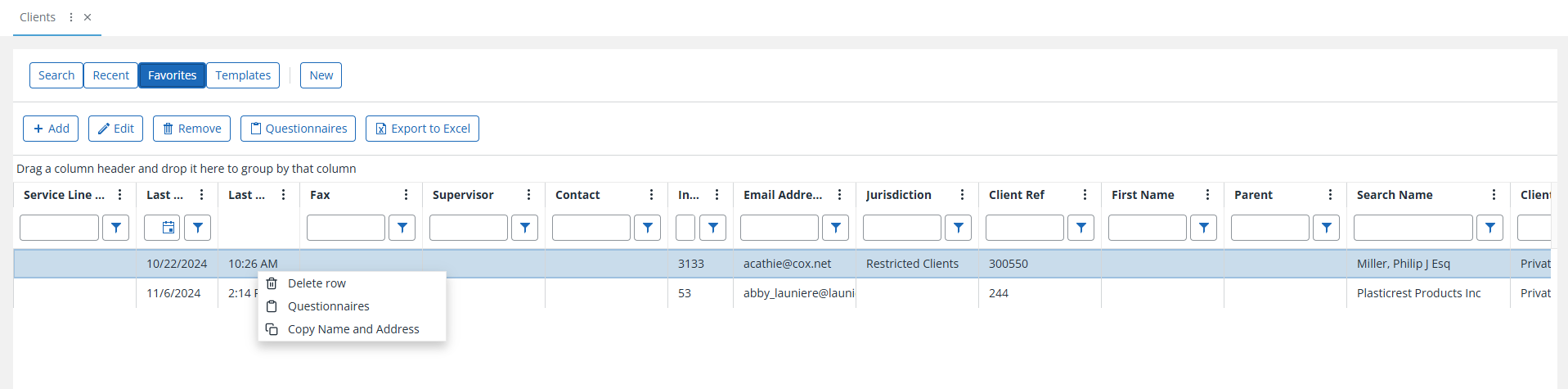
- Delete Row - Deletes the selected record, after prompting for confirmation.
-
Copy Name and Address - Copies the values from the Forename, Surname, and Address Detail columns to the clipboard.
-
Convert to Self-Scheduling/Mini-Budget - Converts the Job Budget Type as indicated, after displaying a prompt for confirmation.
Guidance on filtering and sorting of views and results is coming soon!