Set up qualified overtime
The setup process for qualified overtime must be completed for all employers by August 30th, 2026.
Additional Hourly Pay Types are used for several purposes. Where an Additional Hourly pay type represents actual hours worked, it must be included in the qualified overtime calculation, part of the One Big Beautiful Bill Act. Payroll Relief now supports marking each Additional Hourly pay type for inclusion in qualified overtime.
Find Additional Hourly pay types
To find and review Additional Hourly pay types:
- Go to Employer Setup, then select Pay Types.
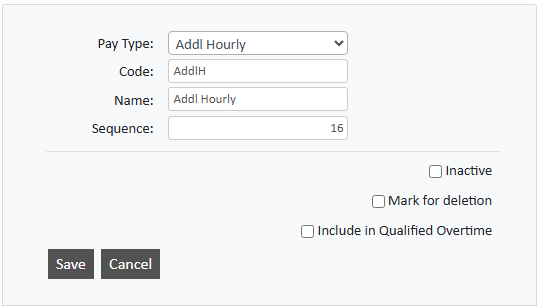
- Review all with Pay Type set as Addl Hourly.
-
For each pay type to include in the qualified overtime calculation, select Include in Qualified Overtime.
If a Pay Type is a qualified overtime for one employee, the same pay type cannot be used as a non-qualified overtime amount for another employee. A separate Pay Type must be created for that. When creating Pay Types for overtime, we recommend entering Sequence numbers that keep them grouped together.
How qualified overtime is calculated
On or shortly after September 1st, 2026, Payroll Relief checks weekly payroll frequencies and retroactively adjusts the calculated qualified overtime. This includes the selected Additional Hourly pay types and applies the US Department of Labor weighted average calculation.